
In Summary Legacy systems are usually replaced under pressure, after a failure or a part…
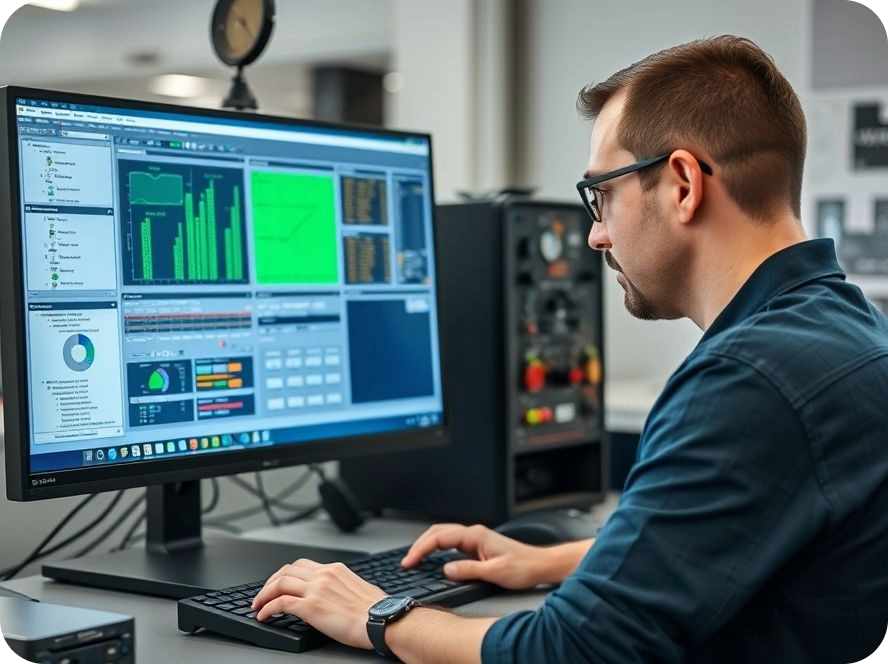
Human-Centred Technology: Designing Platforms People Actually Want to Use
In Summary
- Automation projects are judged by adoption. When a system makes an operator’s job harder, they will find workarounds. Over time, these workarounds can quietly erode the efficiency, productivity and business case behind the original automation investment.
- Human-centred design is an engineering discipline. Designing effective interfaces for industrial environments is supported by established standards, including ANSI/ISA-101.01-2015 for the human-machine interface lifecycle and ANSI/ISA-18.2 for alarm management.
- The best automation platforms are designed with operators. Involving the people who run the production line, piloting the system on a single cell and refining the interface after commissioning helps create an HMI or SCADA platform that remains practical as the operation evolves.
Walk almost any Australian factory floor and you will find a screen that nobody looks at.
It was specified in the project scope, built to requirements, commissioned on schedule and signed off by everyone involved. Six weeks later, operators may be running the line using a whiteboard and a laminated cheat sheet taped beside the terminal.
The equipment works exactly as designed. The adoption failed. And adoption is where the return on an industrial automation investment actually lands.
This matters more now than it did a decade ago. Australian manufacturers are automating while competing for skilled operators, and new staff are expected to reach full productivity quickly. An HMI or SCADA system that takes three months to learn creates additional costs every time the roster changes.
Workarounds Are the Real Cost of Poor Automation Design
Operators are pragmatic. When an HMI, SCADA platform or control system makes their job harder, they find another way. Every workaround can quietly erode the business case that justified the original automation investment.
A paper log beside the terminal means production data may never reach the reporting layer. An alarm that gets acknowledged reflexively means the alarm that actually matters may be acknowledged the same way. One experienced operator who knows the start-up sequence by heart creates a knowledge dependency that can affect production when that person takes leave.
How Workarounds Affect Manufacturing Operations
The cost can surface as:
- Production downtime
- Increased scrap and material waste
- Longer operator training cycles
- Reduced production efficiency
- Greater reliance on experienced operators
- Operator errors
- Near-misses and safety risks
These costs are rarely traced back to the interface that contributed to the problem. Instead, they appear as isolated operational issues across the plant.
Design HMI Systems for Real Conditions on the Factory Floor
Human-centred design in an industrial environment is an engineering constraint before it is an aesthetic consideration. It begins with a clear understanding of the environment in which the HMI or industrial control system will actually operate.
Operators may be working with gloves, protective equipment, glare, hearing protection, high background noise and machinery vibration. They may also be working long shifts when concentration and reaction times are affected by fatigue.
Under these conditions, an effective HMI earns its place by delivering a small number of critical capabilities.
What Operators Need From an Industrial HMI
- Machine state at a glance: Operators should be able to understand whether the process is healthy before having to interpret individual numbers.
- Short paths to frequent actions: Tasks performed repeatedly throughout a shift should be accessible with minimal navigation.
- Meaningful alarms: Each alarm should communicate an appropriate priority, likely cause and expected operator response.
- Consistent screens: Navigation and interaction patterns should remain consistent across machines and production cells so operator knowledge transfers easily.
- Recoverable errors: Operators should have a clear way to recover from common mistakes without unnecessarily escalating the issue to an engineer.
Why HMI Consistency Matters
Consistency becomes particularly important across facilities with multiple production lines or cells. When terminology, navigation and screen layouts follow common patterns, operators can transfer their knowledge from one machine or cell to another.
This can reduce training requirements and help new operators become productive more quickly.
The Industrial Automation Standards Already Exist
Human-machine interface and alarm management are established engineering disciplines. Standards such as ANSI/ISA-101.01-2015 and ANSI/ISA-18.2 provide structured approaches to designing and managing these critical components of industrial automation systems.
ANSI/ISA-101.01-2015 for Human-Machine Interfaces
ANSI/ISA-101.01-2015 establishes a lifecycle approach to human-machine interface design for process automation systems. It addresses areas including HMI philosophy, style guides, implementation, operation and ongoing maintenance.
The lifecycle approach is important because an HMI should not be treated as a finished product once commissioning is complete. As the process, equipment and operational requirements change, the interface may also need to evolve.
ANSI/ISA-18.2 for Alarm Management
ANSI/ISA-18.2 provides a framework for the management of alarm systems in the process industries. It treats alarm rationalisation as an engineering discipline rather than simply a screen configuration task.
Why Alarm Rationalisation Matters
Alarm design is where poor HMI design can become particularly visible. An operator facing a screen filled with simultaneous alerts may have no reliable way to identify which alarm requires immediate action.
The result can be alarm fatigue. When operators repeatedly encounter alarms that do not require immediate intervention, they can become conditioned to acknowledge alerts without investigating them.
Alarm rationalisation helps identify which alarms genuinely require operator action, assign appropriate priorities and establish meaningful responses.
Both standards rest on the same fundamental premise: the interface is part of the control system and deserves the same engineering rigour as the hardware and software behind it.
Build HMI and SCADA Systems With the People Who Run Them
The most reliable way to design an industrial automation platform that people actually use is to design it alongside the operators who will run it.
Operators hold practical knowledge that may never reach a formal specification document. They know which sensor drifts in humid conditions, which sequence causes a jam and which screen they have learned to ignore.
A half-day spent on the factory floor before the first HMI wireframe is created can surface more useful requirements than weeks of workshops held in a boardroom.
Use Operator Experience to Improve HMI Design
Operator involvement can help identify:
- Frequently performed tasks
- Common production bottlenecks
- Existing manual workarounds
- Confusing or unnecessary alarms
- Critical process information
- Equipment-specific knowledge
- Common operator errors
- Tasks that require engineering support
Use Training as a Diagnostic Tool
Training requirements can also reveal problems with an interface.
When a new operator needs a week of classroom training before confidently using the control panel, the interface may be carrying complexity that should have been designed out.
Good HMI design shifts unnecessary cognitive load from the person to the system.
Pilot the Interface Before a Full Rollout
The work does not stop at commissioning. A practical approach is to pilot the interface on one production cell, observe how operators actually use it and identify opportunities for improvement before rolling it out across the wider facility.
This approach allows the design team to compare the original requirements with real-world operator behaviour.
Continue Improving the System After Commissioning
Industrial operations change. Production processes evolve, equipment is upgraded, new operators join the workforce and new failure modes can emerge.
For this reason, HMI design should be treated as a lifecycle rather than a one-time project deliverable. This aligns with the lifecycle approach described by ISA-101.
Where Oiya Tech Fits
Oiya Tech designs HMI, SCADA and industrial control systems around the way a business actually operates.
That means understanding the operator and the process before design work begins, standardising navigation so screens behave predictably across a site and supporting the system as the operation grows.
HMI, SCADA and Control System Design
Oiya Tech takes a practical, operator-focused approach to industrial automation, with solutions that can support:
- Human-machine interface design
- SCADA system development
- Industrial control systems
- HMI standardisation
- Alarm management
- Automation system integration
- Operator-focused interface design
- Ongoing system support and optimisation
Every Industrial Site Has Different Requirements
Every site is different, which is why an interface built for one plant rarely suits another without modification.
The right approach starts with the process and the people, then selects the technology to match. Standardisation should create consistency without ignoring the specific operational requirements of each facility.
The Measure of a Successful Industrial Automation Platform
The measure of a good industrial platform is simple: the people on shift reach for it first, trust what it tells them and stop building workarounds around the edges.
Frequently Asked Questions About HMI and Industrial Automation
What Does Human-Centred Design Mean in Industrial Automation?
Human-centred design means creating control systems around the operator who will use them under real operating conditions. This includes considering protective equipment, noise, lighting, fatigue and the practical demands of the production environment.
The focus is on how quickly an operator can understand machine state, perform a common action and recover from an error rather than simply how the interface looks during a demonstration.
How Do We Know If Our HMI Is Holding the Operation Back?
Look for workarounds. Paper logs beside terminals, laminated cheat sheets, alarms dismissed without being read and a single experienced operator everyone calls when the line misbehaves can all indicate problems with the existing HMI.
Long induction and training periods for new operators can point to the same issue because complexity that the interface should absorb is instead being carried by the person.
What Is ISA-101 and Does It Apply to Our Site?
ANSI/ISA-101.01-2015 is a standard for human-machine interfaces in process automation systems. It addresses the HMI lifecycle, including design philosophy, style guides, implementation, operation and ongoing maintenance.
Although developed for process automation, many of its principles can also be applied to discrete manufacturing, materials handling and machine control environments.
Can an Existing HMI Be Improved Without Replacing It?
In many cases, an existing HMI can be significantly improved without replacing the underlying hardware.
Improvements such as alarm rationalisation, consistent navigation, clearer display hierarchy and more effective use of colour and layout can deliver substantial benefits.
A complete rebuild may be more appropriate when the existing platform is unsupported, obsolete or no longer suitable for the process.
How Much Operator Involvement Does an HMI Project Need?
Operator involvement should be sufficient to capture the practical knowledge that a formal specification may miss.
Even a half-day spent observing operators on the production floor before design begins can reveal failure modes, workarounds and habits that influence how the system is actually used.
Operator involvement should continue after commissioning, particularly when piloting a new interface on a single production cell and reviewing its performance after operators have used it for several weeks.
Glossary of HMI, SCADA and Industrial Automation Terms
Human-Machine Interface (HMI)
The screen, panel or terminal through which an operator monitors and controls industrial equipment. An HMI translates information from sensors, machinery and control systems into a visual format and provides operators with controls for taking action.
SCADA
Supervisory Control and Data Acquisition (SCADA) is a system used to monitor and control equipment across a site or multiple sites. It gathers data from local controllers and presents information to operators, engineers and managers.
Alarm Rationalisation
The process of reviewing alarms to confirm that each one represents a genuine abnormal condition requiring operator action. Alarm rationalisation also involves assigning appropriate priorities and documenting the expected operator response.
Situational Awareness
An operator’s accurate understanding of what the process is doing at a particular moment and where it is heading. Situational awareness is a key objective of effective HMI design and is supported through clear display hierarchy, meaningful information and restrained use of colour and animation.
Commissioning
The stage during which an installed industrial automation system is tested, configured, tuned and formally prepared for production use.
Production Cell
A self-contained group of machines and equipment that performs a defined stage of production. A production cell is often used as a pilot environment when testing a new HMI or automation interface before wider deployment.
ANSI/ISA-101.01-2015
The American National Standard covering human-machine interfaces for process automation systems. It addresses HMI philosophy, design, implementation, operation and maintenance across the HMI lifecycle.
ANSI/ISA-18.2
The American National Standard for the management of alarm systems in the process industries. The standard establishes an alarm management lifecycle covering activities such as identification, rationalisation, design, implementation, operation and maintenance.

Related Posts

Comments (0)